From Laser Scan to BIM: The Actual Workflow
A realistic breakdown of how we take raw LiDAR data and turn it into a clash-detected, LOD 350 BIM deliverable without losing our minds.
"Scan-to-BIM" sounds like a simple export button you press in the software. In reality, it's a massive, multi-stage engineering workflow. If you mess up the first step, you contaminate the entire model, and the architects and engineers using it won't realize it's wrong until they are on the construction site holding a steel beam that doesn't fit.
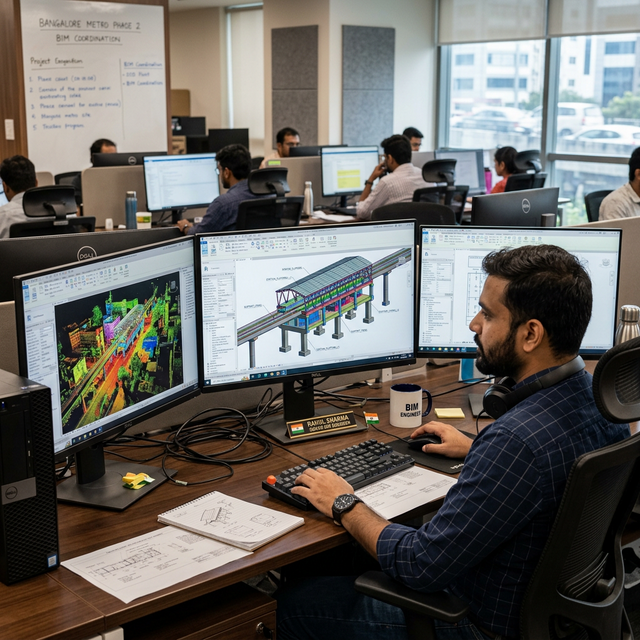
Getting the data right in the field
You can't fix a bad scan in the office. Our teams deploy terrestrial LiDAR scanners across the site, but the lasers are only half the job. The more important part is placing the physical survey targets and tying them into the site's master coordinate system. If the field team packs up and goes home without capturing enough overlapping data or missing blind spots behind ductwork, the modeling team is going to have a miserable time.
Stitching it together
Back in the office, the registration software is used to stitch the hundreds of individual scans into a single massive point cloud. We rely on the physical targets the field team placed to lock the scans together accurately. We review the error reports between every single station. If a scan is floating outside our millimeter tolerances, we flag it immediately.
Prepping the cloud
A raw registered point cloud is too heavy for Revit to handle natively. We index the data, clipping out the noise—reflections in windows, passing cars, people walking through the site—and decimating the file size so it doesn't crash the BIM workstations.
Anchoring the model
This is where most amateur Scan-to-BIM projects fail. Before we draw a single wall, we set up the Revit environment so the coordinate origin perfectly matches the physical survey control on site. When we link the point cloud into Revit, it drops into exact real-world coordinates. This means when the MEP engineers draw a new pipe in our model, the construction crew can use GPS rovers to stake it out perfectly in the real world.
Drawing from the dots
Our modeling team slices the point cloud using section boxes and starts tracing the reality. We model exactly what the laser saw, not what the original 1980s blueprints say. If a concrete column was poured slightly off-plumb, we model it off-plumb. If a massive HVAC beam has sagged two inches over the decades, we model the sag. That is the entire point of LOD 350 Scan-to-BIM.
Proving we got it right
How does the client know our Revit walls actually match the physical walls? We run deviation analysis. We use software to measure the distance between the faces of our Revit elements and the raw laser points. The software spits out a heat map—green means our model is within a few millimeters of reality, red means we missed something.
The final export
Before handing the model over to the client, we run clash detection to make sure we didn't accidentally model a steel beam going through an existing concrete floor. We verify all the IFC parameters are loaded in, and we hand over the sterile Revit model, the indexed point cloud, and the deviation reports proving the model is accurate.
It's a heavy, iterative process, but it's the only way to guarantee the engineers are designing off reality.
Need an accurate as-built model of your facility? Get in Touch →